


Ringtones for Android Phone
4.85.95K Reviews
App Specs
- Version
- 1.4.8
- Updated On
- License
- Free
- Downloads
- 10,000,000+
- Developer
- QR Code Scanner.
- Categories
- Music & Audio
- Platform
- Android, iOS
Screenshots
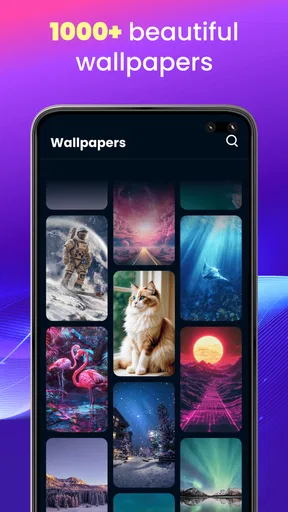
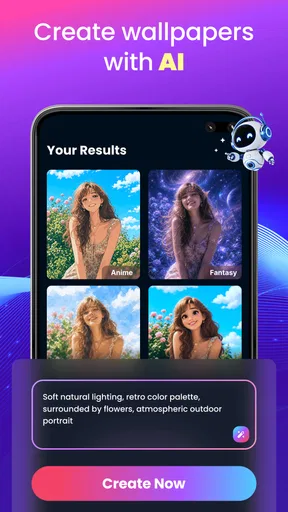
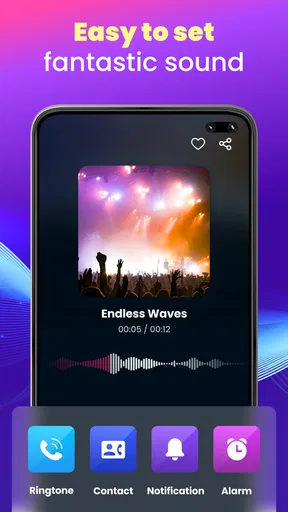
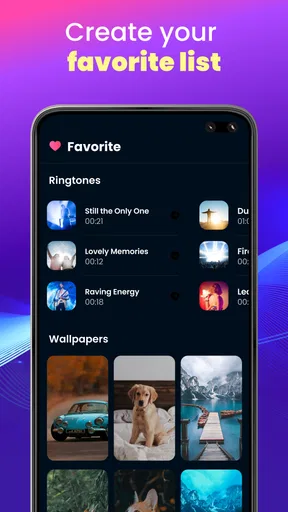
 Analysis by AppCompare
Ever wanted to spice up your phone with some fresh, new sounds? Let me tell you about my recent dive into the world of the Ringtones for Android Phone app. It’s like a candy store for your ears, offering a delightful variety of sounds that can suit any mood or occasion. I’ve been exploring it for a while now, and here’s my take on it.
Exploring the Soundscape
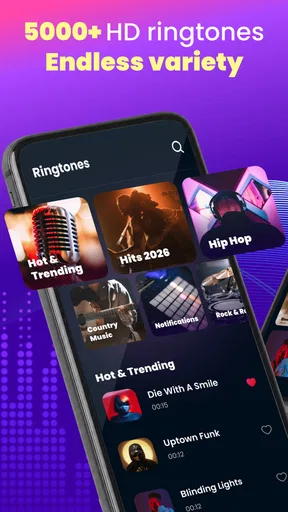
When I first opened the app, I was greeted by a clean and intuitive interface. Navigating through the categories was a breeze, and I was genuinely surprised by the expansive selection. Whether you're into classic tunes, nature sounds, or something more quirky, the app has got you covered. It's like having a mini DJ in your pocket, ready to customize your phone’s soundscape at any moment.
The First Week: A Quick Change of Mood
The strongest reason to try this app is also the simplest: a familiar phone can feel less stale when a call or alert gets a sound that suits you better. During the first few days, browsing and previewing options can be enjoyable in its own right. I’d treat that as a small refresh rather than a major change to how the phone works; the value is personal, and it depends on finding a sound you still want to hear after the novelty wears off.
A useful way to choose is to think about where each sound will be heard. A ringtone that feels fun through headphones may be distracting in a quiet office, while a subtle notification can disappear in a busy place. I’d preview a candidate at a comfortable volume and imagine it in the setting where calls usually arrive. That small pause can save you from replacing an attention-grabbing choice a day later.
For a realistic everyday example, imagine setting aside a few minutes at home to find a clearer call sound before a busy week. You could listen through several options, choose one that is easy to recognize, and then leave it alone during work rather than constantly changing it. That is where a ringtone app can be useful: it makes choosing a sound convenient, but the best result is often one dependable choice rather than a new experiment every day.
Features That Hit the Right Note
One of the standout features of the Ringtones for Android Phone app is the ease of use. Setting a new ringtone or notification sound is as simple as pie. A couple of taps and voila, your phone sounds brand new. I couldn’t help but appreciate the seamless integration with the phone’s settings, making the whole process smooth and hassle-free.
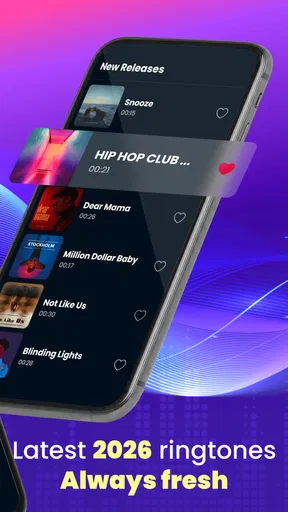
Another cool feature is the preview option. You can listen to a snippet of any ringtone before committing, ensuring that you absolutely love the sound. Plus, the app frequently updates its library, so there’s always something new to discover. I found myself eagerly checking back for the latest additions.
Worth Reading Before You Choose

Baby Panda World Brings Quick Play to Modern Phones, but Its Game Library Feels Busy

ESPN’s Live Game View Makes Following Close Games Easier

QuizzLand Review: A Good Fit for Short Trivia Breaks, Not Every Player

Basketball Stars: Multiplayer Is Fast, but Can It Recover When Matches Go Wrong?

WEBTOON Turns Phone Updates Into a Better Reading Routine

Link to Windows Runs on Shared Habits, Not Social Feeds
Living With It Month to Month
After the initial browsing session, the question is whether you will return. For me, recurring value comes less from collecting lots of sounds and more from having a quick way to replace one that no longer fits. A changed routine can make an old alert impractical: a sound that worked at home may be too quiet outdoors, or one that felt amusing at first may become irritating when heard repeatedly. Keeping your choice simple makes the app more useful than treating every new option as something you need to try.
The app sits in the music and audio category, and its focus is much narrower than a music player or streaming service. Those alternatives are better when you want to listen to complete tracks or manage a broader music library. This app is for people who want to change the sounds their phone uses. If your current phone settings already let you pick a suitable ringtone and you rarely want to change it, the built-in options may be enough; downloading another app is not automatically an improvement.
It is also worth thinking about the people around you. A distinctive sound can help you notice your own phone in a shared space, but a loud or highly recognizable choice may draw attention when you would rather keep things discreet. I’d lean toward a sound that is easy for me to identify without turning every call into a performance. That balance matters more over time than choosing the most unusual option in the library.
Customization and Creativity
What really sets this app apart is the ability to personalize your experience. You can create your own ringtones from your music library, which is a fantastic touch for those who like to add a personal flair. I tried it out with a couple of my favorite songs, and the process was surprisingly easy and fun.
Making a ringtone from a song works best when you choose a portion that is recognizable quickly. A slow introduction may sound good in full but can make a poor alert if the memorable part comes much later. I’d also think about repetition before using a favorite track: hearing a brief segment every time a call arrives can change how you feel about that song. Saving a favorite for occasional use, and choosing a less precious sound for routine notifications, can be a sensible trade-off.
One practical decision is whether to use a single sound for every alert or give calls and notifications different tones. A single choice is easier to remember and maintain; separate sounds can help you tell at a glance whether a call deserves attention, but too many variations can become confusing. I’d start with one clear ringtone and only add another distinction if it solves a real problem in your day.
Moreover, the app offers a range of themes, allowing you to match the look of the app with your current aesthetic vibe. It’s little touches like these that make the experience feel tailored and engaging.
Maintenance, Limits, and Who Should Skip It
The upkeep is light if you choose a sound and leave it in place. The more you browse, the more likely you are to spend time comparing small differences without gaining much practical benefit. I’d use the preview to make a considered choice, then resist checking for alternatives simply because they are available. A ringtone should make the phone easier to live with, not create another stream of decisions to manage.
As an app from QR Code Scanner, it is free to install and is aimed at everyone. It has a 4.7 average from around 150,000 ratings, with more than 10 million installs, so it has attracted a broad audience. The current version is 1.4.1, and it runs on Android 8.0 or later. Optional in-app purchases range from $1.99 to $49.99 per item, so I’d pay attention to any purchase prompt and decide whether the free experience already meets your needs before spending.
The main limitation is that this kind of app is only as useful as the sounds you actually want to keep using. A large choice can make browsing pleasant, but it can also encourage indecision; novelty alone is not a reason to change your alerts. I’d skip it if you are happy with your existing ringtone, prefer to avoid extra apps, or mainly want a full music-listening experience. It is a better fit for someone who enjoys occasional personalization and wants a convenient way to explore alternatives.
One sensible habit is to review your chosen sound when your circumstances change rather than constantly rotating it. If you move between a noisy workplace and quieter surroundings, reconsider whether it is audible enough without being intrusive. If you share a room, choose something that will not repeatedly interrupt others. Those small checks make the app’s options serve a real need instead of turning customization into an end in itself.
Final Thoughts
All in all, the Ringtones for Android Phone app is a fantastic tool for anyone looking to refresh their phone’s sound settings. It combines an extensive library of ringtones with user-friendly features, making it a joy to use. Whether you're a music enthusiast or just someone who wants a bit of variety, this app has something for everyone.
So, if you're feeling like your phone could use a little auditory makeover, give this app a shot. You might just find that perfect sound to accompany your calls and notifications, making each alert a little more enjoyable.
Does It Earn a Lasting Place?
My long-term verdict is that this is a handy occasional-use app, not something most people need to visit every week. Its lasting value depends on whether browsing leads to a sound you genuinely prefer and continue to use. If that happens, the small effort of choosing one can pay off each time your phone rings; if not, the built-in choices are a perfectly reasonable alternative. I’d keep it for convenient sound discovery, but I wouldn’t feel obliged to maintain a changing collection just to justify having it.
Pros
- Extensive library of ringtones.
- User-friendly interface for easy navigation.
- Regular updates with new content.
- High-quality sound options available.
- Compatible with most Android devices.
Cons
- Contains ads that may interrupt use.
- Limited customization options for tones.
- Some ringtones require in-app purchases.
- No option to create custom ringtones.
- Occasional crashes reported by users.
FAQs for Ringtones for Android Phone
What features does the Ringtones for Android Phone app offer?
The Ringtones for Android Phone app provides a wide variety of high-quality ringtones, including music, sound effects, and custom tones. Users can easily search and preview ringtones, set them as default or assign specific tones to contacts. The app may also offer options for alarms and notifications.
Is the Ringtones for Android Phone app free to use?
The app is free to download and use, but it may include in-app purchases or ads. Some premium ringtones or features might require a purchase. Users can often enjoy a substantial selection of free content, but opting for the paid version might enhance the experience by removing ads or unlocking exclusive tones.
How user-friendly is the Ringtones for Android Phone app?
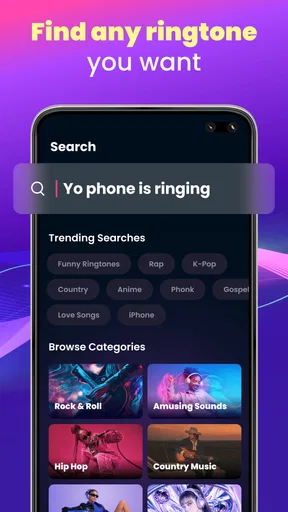
The app is designed to be intuitive, with a clean interface that makes browsing and setting ringtones easy. Users can quickly navigate through categories and use the search function to find specific sounds. The process of setting a ringtone is straightforward, usually involving just a few taps.
Does the app require any special permissions?
Yes, the app typically requires permissions to access your phone's storage to save ringtones and modify system settings to set ringtones or notifications. It may also request access to contacts if you wish to assign specific ringtones to individual contacts. These permissions are standard for ringtone apps.
Are there any compatibility issues with the Ringtones for Android Phone app?
The app generally supports most Android devices running a recent operating system version. However, users with older devices or software versions may experience limited functionality or compatibility issues. It's advisable to check the app's requirements on the download page to ensure it works smoothly on your device.


